

Spring brought a fresh round of Mixily feature updates, and almost every one came straight from your requests. Here’s everything new that shipped between March and June 2026.
Set an RSVP Deadline
You can now set a deadline for RSVPs on your event. Your event page shows a clear “RSVP by [date]” line so guests know when to respond. Once the deadline passes, the page shows an “RSVPs Closed” badge and guests can no longer RSVP or change their response.
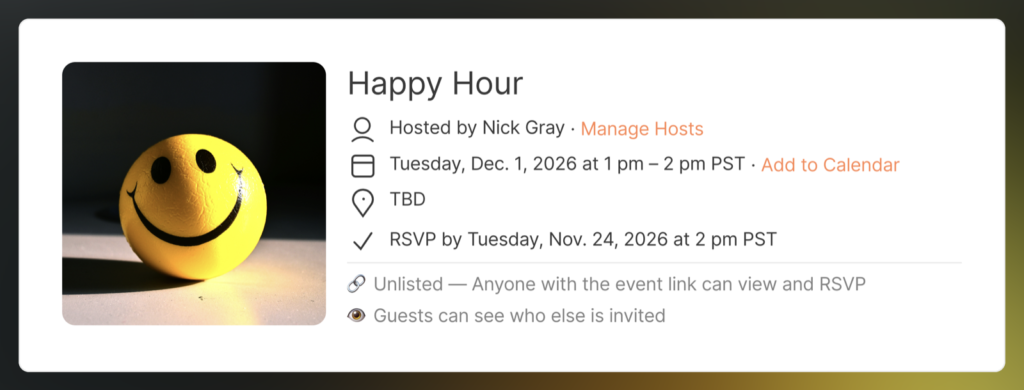
That means no more last-minute “actually, I can’t make it” surprises while you’re cooking, shopping, or setting up. Your invite and reminder emails include the deadline too, while RSVPs are still open. It’s a small thing that does wonders for RSVP etiquette.
To use it, flip on the RSVP Deadline toggle in your event settings and pick a date and time.

Turn Off “New RSVP” Email Alerts
Hosting a big event? You no longer have to get an email every single time someone RSVPs. There’s a new RSVP Email Notifications toggle in your event settings — switch it off and the emails stop, while your guest list keeps updating in real time on your event page.

The toggle is on by default, so nothing changes unless you want it to. (This one’s a paid-plan feature — if you’re on a free plan, you’ll see the option with a link to upgrade.)
Dates Now Match Your Region
If you’re in the UK, Europe, or anywhere else that writes the day before the month, Mixily now shows and reads dates the way you expect: DD/MM/YYYY. So when you type 05/10/2026, Mixily knows you mean 5 October — not May 10.
This happens automatically based on your browser’s language settings. If you’re in the US, nothing changes.
Smarter Reminders, Ready to Send
The host view of your event page got a big upgrade, especially around reminder emails:
- Two ready-made reminders. An “Are you coming?” nudge for guests who haven’t responded, and a “See you tomorrow!” day-before reminder that goes only to guests who said they’re going.
- Pre-written messages. Both reminders come with friendly default subject lines and messages, already filled in with your event name, date, time, and location. Edit them or send as-is.
- Clear at a glance. The Scheduled Reminders card shows exactly who will receive each email, the subject line, and when it goes out. You can preview the full message before it sends.
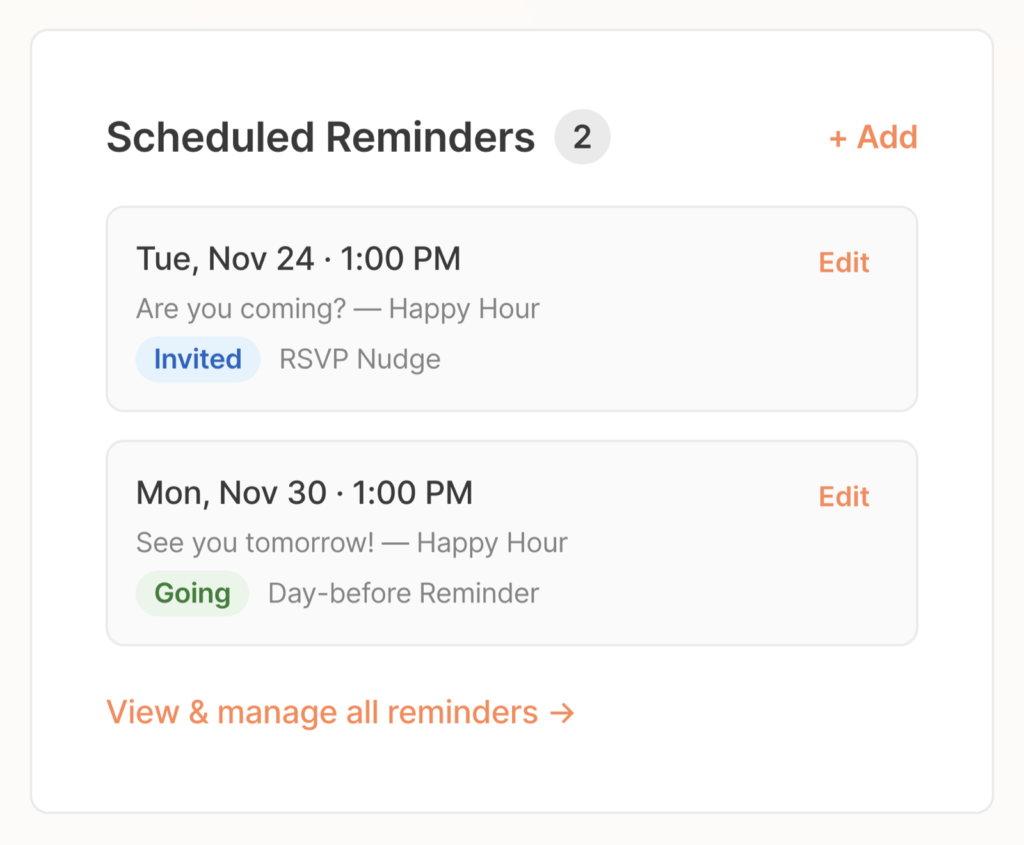
A well-timed nudge is the single best way to get people to actually RSVP — and now it’s two clicks instead of writing an email from scratch.
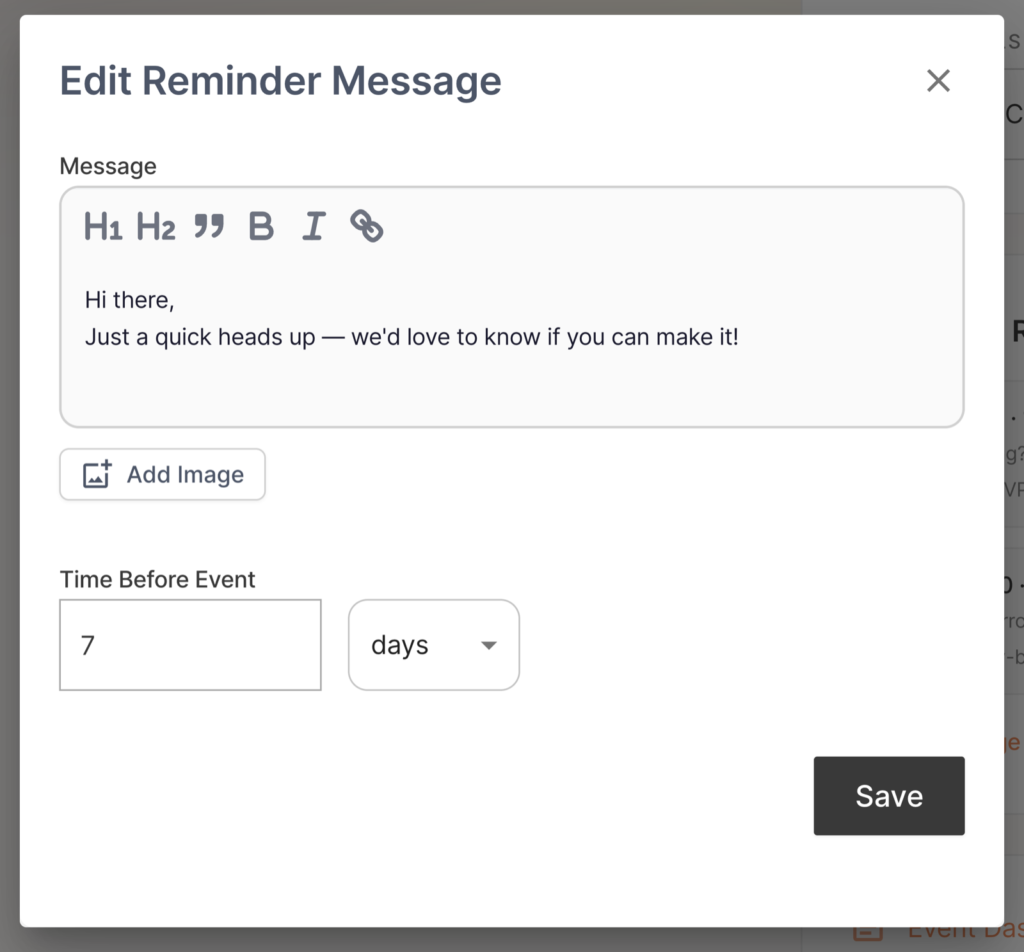
We also tidied up the host page itself: your event details (title, date, location, and privacy settings) now sit neatly beside your event photo, and the page looks much better on mobile.
Edit Your Guests’ RSVPs
Did a guest tell you in person they can’t make it, but never updated their RSVP? You can fix it for them. Click any guest in your guest list to change their RSVP status (Going, Maybe, Can’t Go), their name, or their plus-ones — no back-and-forth needed.
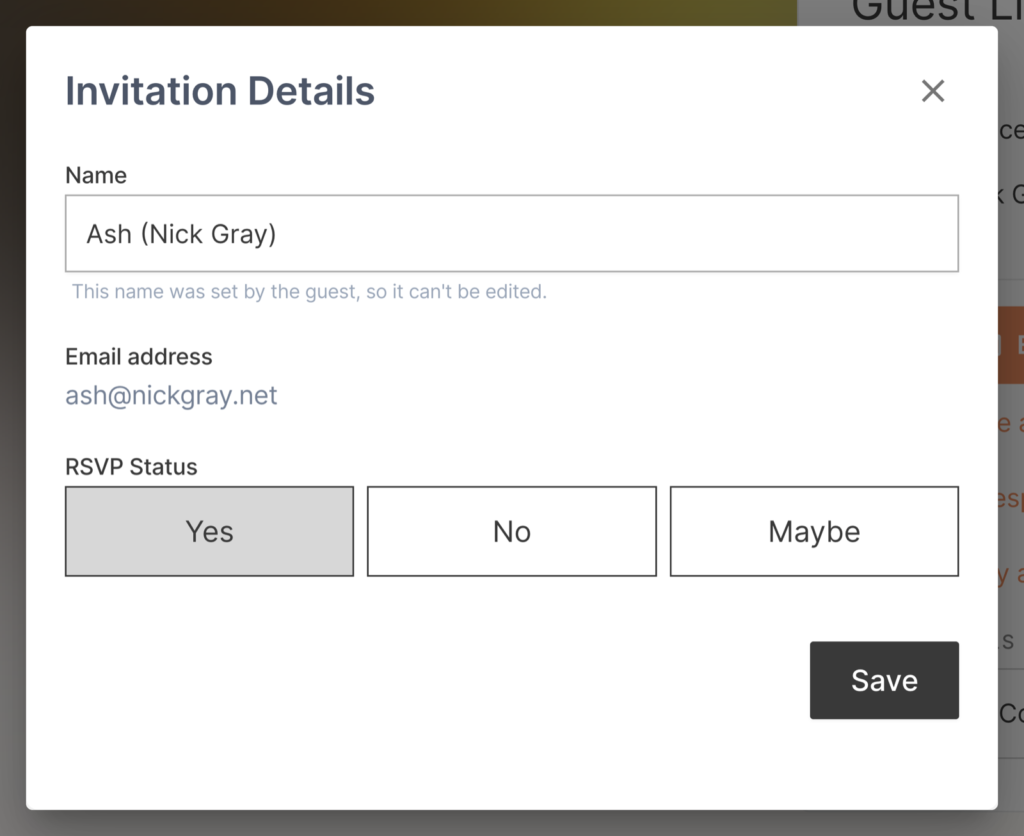
(Truth be told, this was possible before — but nothing on the page told you the guest rows were clickable. Now a “Click to edit RSVP” hint appears when you hover over a guest.)
Your Event Draft Is Safe While You Sign In
Started building an event before signing in? Your work is no longer lost. When you hit save, Mixily now keeps your draft and shows a clear “Sign in to save your event” prompt — sign in (or sign up) right there, and your event saves exactly as you built it.
What’s Next?
We’re hearing you loud and clear. You’ve been sending us feature requests and suggestions, and we’re keeping track of all of them. We’re working through the list and will add updates here as soon as new features go live. For everything that shipped earlier this year, see our full feature updates roundup.
Got a feature request or suggestion? Send it our way — we read every single one.
Ready to put these new features to work? Create your next event on Mixily — it takes about two minutes.