We’ve been busy making Mixily better for you — and mixily features is at the heart of it. Here’s what’s new:
February 2026: A Big Month for Mixily: Mixily Features
This has been our biggest update month yet. We tackled nine improvements that you’ve been asking for — from how your event page looks to how you manage your guests. Every single one came from real feedback from hosts like you.
Let’s walk through what’s changed.
Rich Text Formatting in Event Descriptions
Now you’ve got real formatting options: H1 and H2 headings, blockquotes, and more. This means you can structure your event details so guests actually read them — instead of scrolling past a wall of text.
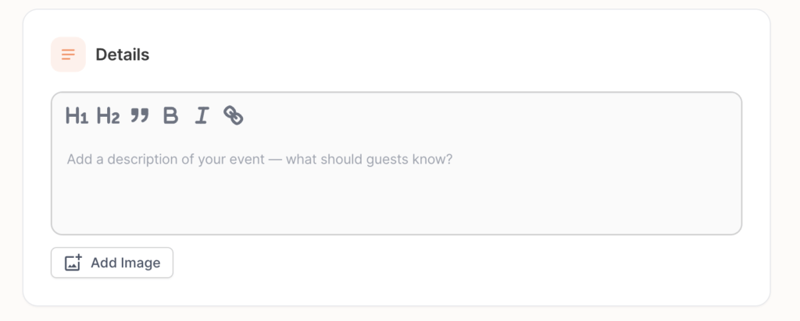
If you’re hosting a party with a schedule, a list of what to bring, or specific instructions for guests, this makes a huge difference.
Better Hyperlink Input
Adding a link to your event description used to be frustrating. The URL input field was tiny — barely enough room to see what you were pasting. We fixed that.
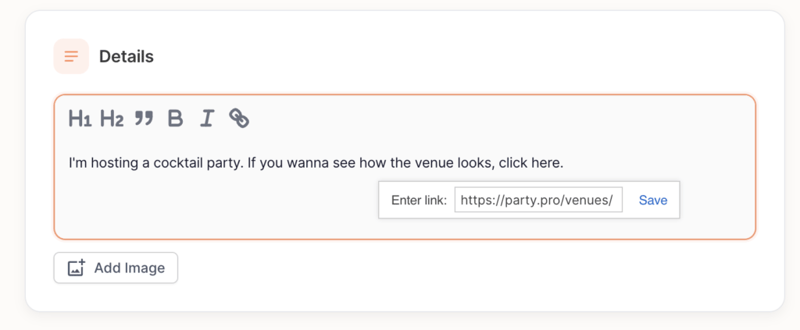
The hyperlink input is now wider and easier to use, so you can add links to maps, menus, playlists, or anything else without squinting at a cramped text box.
Square 1:1 Photo Banners
The old rectangular photo banner was a pain. Depending on the photo you picked, important parts could get cropped out or the image would take up way too much space on the page.
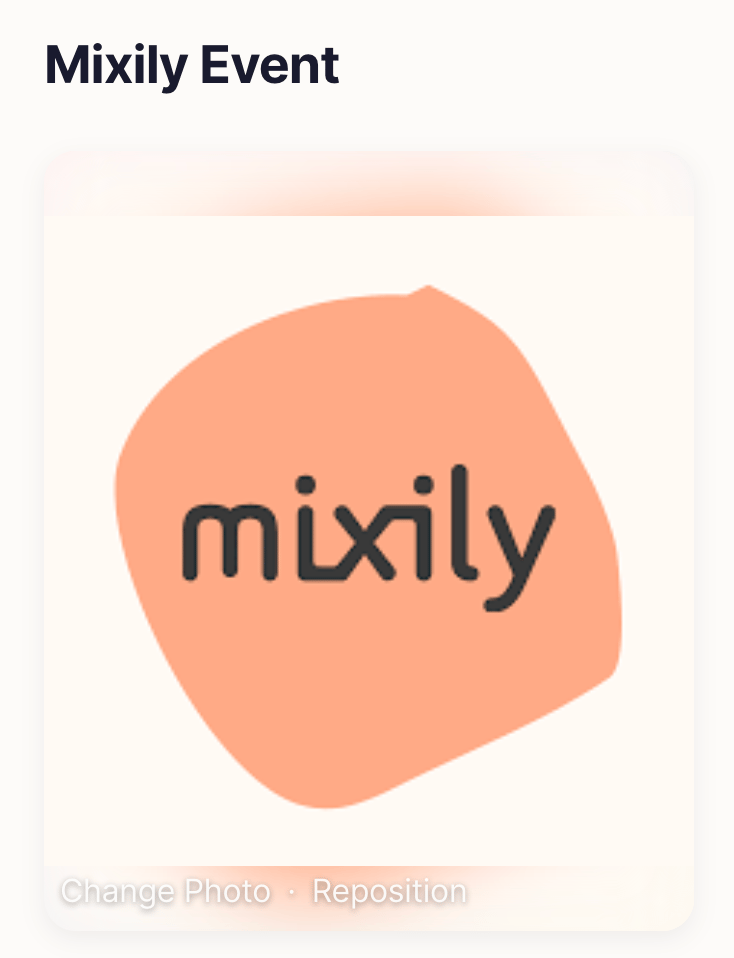
We switched to a clean 1:1 square ratio. Your event photos now display consistently every time — no more guessing whether that group photo will get cut off at the edges. It looks better on mobile too.
Better Default Photos from Unsplash
When you create an event and browse Unsplash for a cover photo, the default results used to be generic and random. Now the search defaults to “party” so you immediately see relevant images — colorful gatherings, celebration setups, and social scenes. Less scrolling, faster event creation.
Improved Time Picker
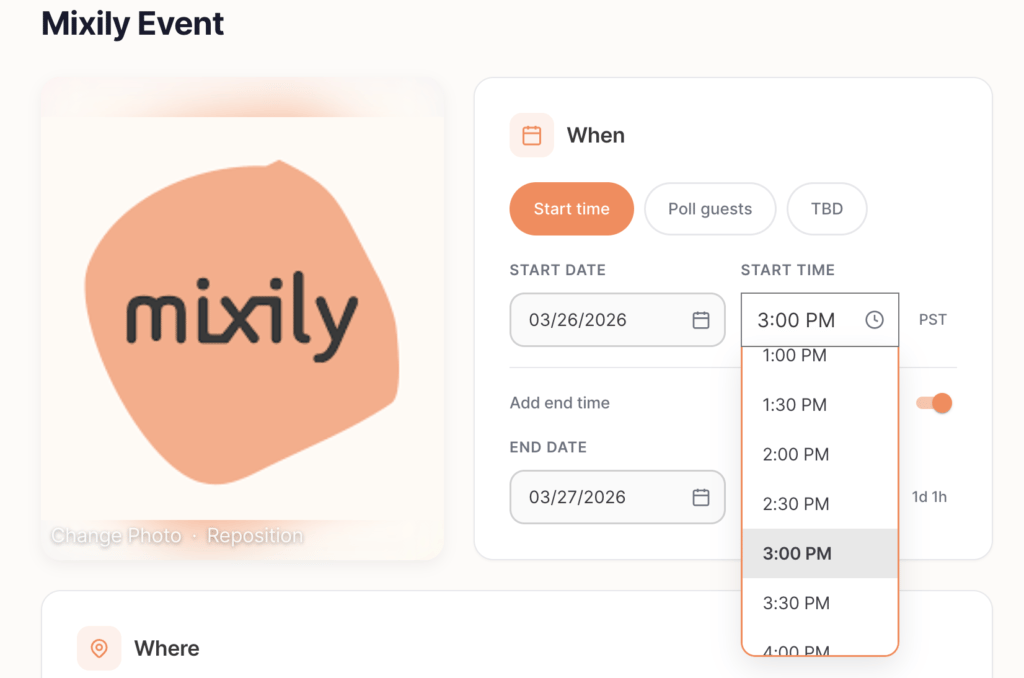
Before this update, the only way to open the time dropdown was to click the tiny clock icon. Easy to miss, especially on mobile. Now the entire time field is clickable. Just tap anywhere on the time area and the dropdown opens right up.
Automatic 2-Hour End Time
This one’s simple but saves you a step every single time. When you pick a start time, Mixily now automatically sets the end time to two hours later.
Why two hours? Because research shows that two hours is the sweet spot for most social gatherings. It’s long enough to have a great time but short enough that people don’t fade out. Of course, you can always change the end time to whatever you want — but now you don’t have to set it manually every time.
Recent Locations: Pick From Your Past Venues
If you host events regularly, you probably use the same few locations. Your apartment. The park down the street. That coffee shop with the back room.
Now when you click the “Place name or address” field, Mixily shows your three most recent locations right at the top. One tap and you’re done — no retyping the same address for the hundredth time.
This is especially handy if you’re building a recurring community event and hosting at the same spot each month.
Guest Email Opt-Out
Some guests don’t want automated email reminders for every event they’re invited to. We get it. Now guests can opt out of automated emails for any specific event. They’ll still see the event on Mixily — they just won’t get the email notifications if they don’t want them.
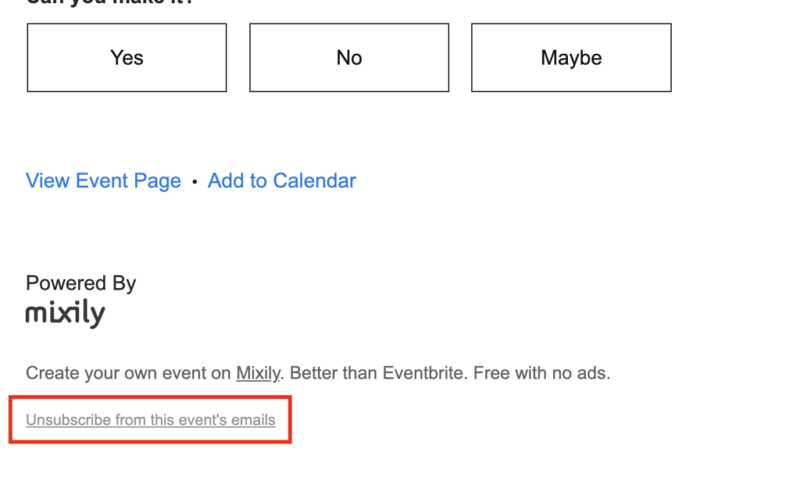
This gives your guests more control, and it means the people who do get your event reminders are the ones who actually want them.
Contact List Sorting
Your contact list on Mixily just got easier to navigate. You can now sort your contacts alphabetically by name or email — just click the column header. If you’ve got a long list of people you’ve invited to past events, this makes it much faster to find who you’re looking for.
Earlier Updates
Easier Email Management
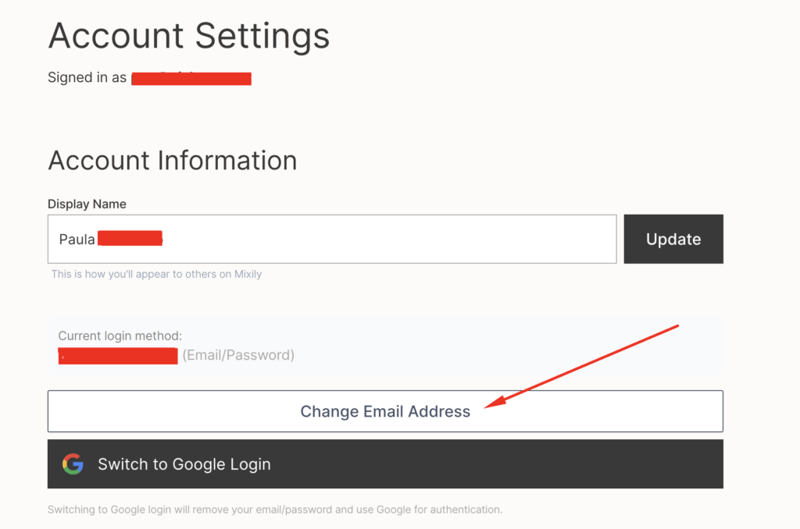
You can now change your account email address right from your settings. And if you prefer, you can switch to Gmail login instead. We wanted to make managing your account as simple as possible.
Duplicate Event Button is Back
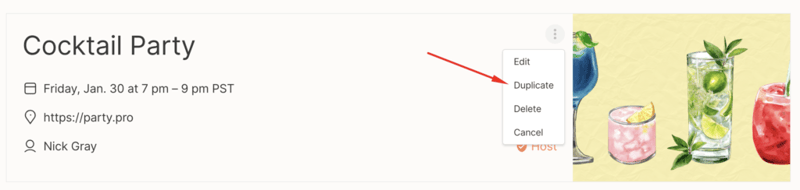
Remember the duplicate event button? It’s working again! This was one of the first things we fixed after taking over, and it should save you a bunch of time when creating similar events.
What’s Next?
We’re hearing you loud and clear. You’ve been sending us feature requests and suggestions, and we’re keeping track of all of them. We’re working through the list and will add updates here as soon as new features go live.
Want to make your next event even better? Check out our complete guide to online RSVPs or browse birthday party planning ideas for your next gathering.
Got a feature request or suggestion? Send it our way — we read every single one.
Ready to put these new features to work? Create your next event on Mixily — it takes about two minutes.
Thanks for being part of the Mixily community!