July brought a handful of updates we think you’ll actually use: reminders that reach more than one guest group at once, cancelling your own subscription without emailing us, and a much clearer view of who actually got your messages. Here’s everything that shipped this month.
Send Reminders to More Than One Guest Group at Once
Reminder emails (the 7-day nudge and the day-before reminder) used to lock you into one guest group. You could remind everyone who said Going, or RSVP’d as Maybe, or everyone who hadn’t responded yet.
That’s fixed. When you edit a reminder, the “Send To” section now shows checkboxes for Going, Maybe, and Haven’t responded yet, and you can select any combination. Send one reminder to everyone still on the fence and everyone who already said yes, at the same time.
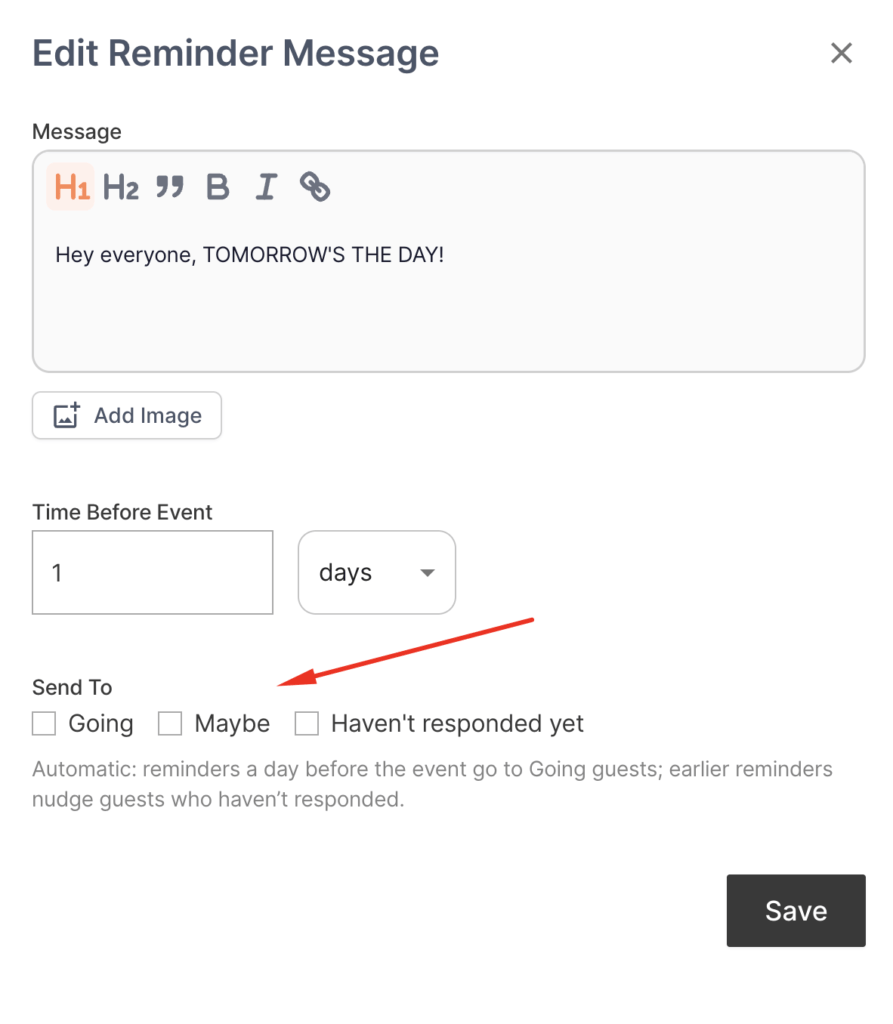
This works on reminders you already had set up too, not just new ones. Open any existing reminder, check the extra boxes, and you’re done.
Cancel Your Own Subscription
Paying hosts can now cancel their own subscription. Head to Account → Manage Subscription and it’s right there, no email to support required.
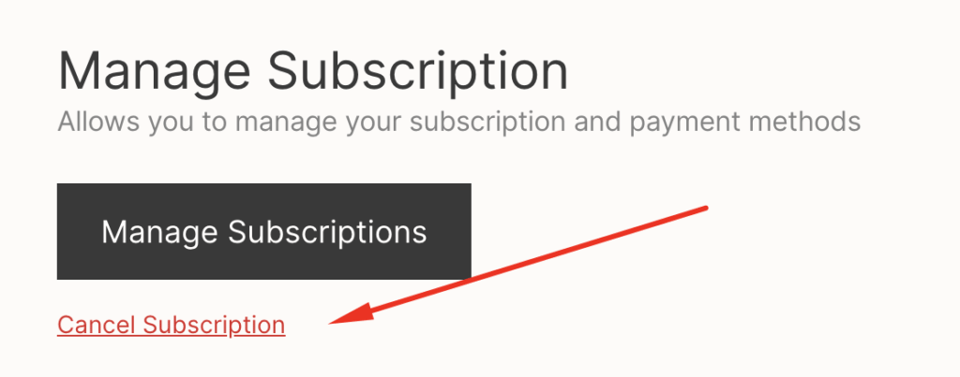
A confirmation modal (“Keep my subscription” / “Yes, cancel my subscription”) stops you from cancelling by accident, and your access continues through the end of the billing period you already paid for. You’ll also get a confirmation email spelling out the exact date your access ends, so there’s no guessing.
See Exactly Who You Emailed
Every message card on your event, custom messages and the two automatic reminders alike, now shows the subject line, “Sent to: N guests” (or “Sending to” if it hasn’t gone out yet), and a “View recipients” link that expands into the full guest list with names and emails.
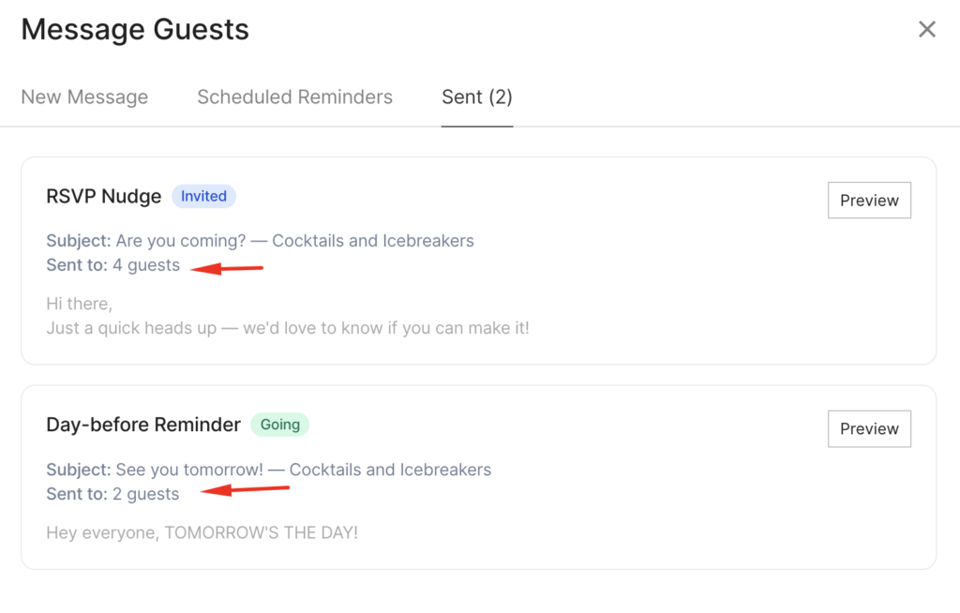
This matters most if you’re on the Free or Lite plan and watching your weekly email send limit. Now you can see exactly what counted against it instead of guessing.
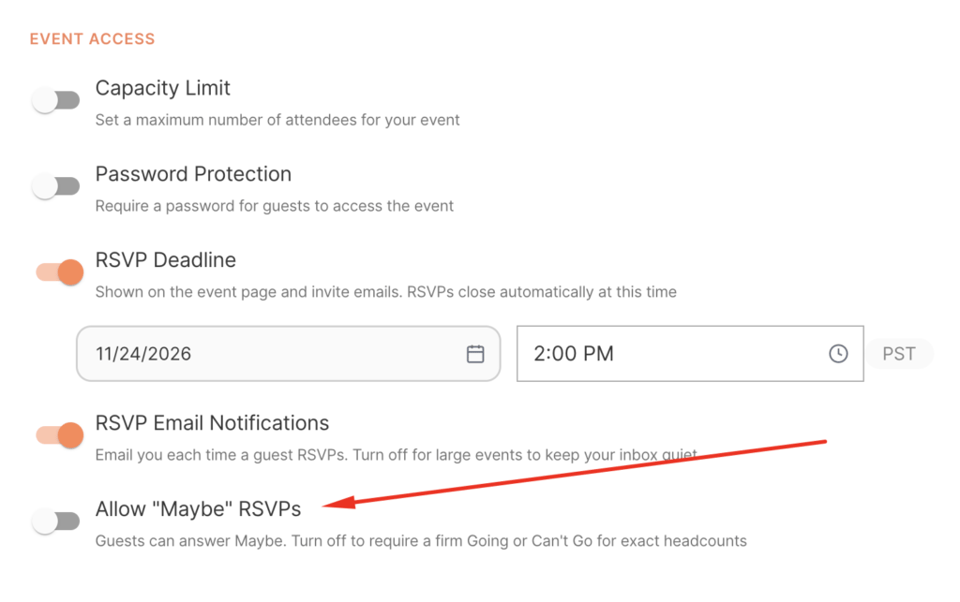
Turn Off the “Maybe” RSVP Option
Some events need a firm headcount, not a maybe. You can now disable the “Maybe” RSVP option entirely, leaving guests a straight Yes or No. Hosts have been asking for this for a while, mostly for events with fixed seating or catering counts, where a “maybe” doesn’t actually help you plan.
What’s Next?
We’re still working through the list of feature requests you’ve sent us and will keep posting updates here as they ship. For everything that landed earlier this year, see our full feature updates roundup.
Got a feature request or suggestion? Send it our way, we read every single one.
Ready to put these to use? Create your next event on Mixily, it takes about two minutes.