
Your Grok Bot can plan a party. With Mixily connected, it can also make the RSVP page your guests open.
You describe the event in one message. Your bot creates the Mixily page, writes the description and gives you a link to share. Here’s how to set it up and what to ask.
Step 1: Add Mixily to Your Grok Bot
Grok Bot adds connectors through chat, not a settings field.
- Send your bot this message:
Add a custom MCP server called Mixily at https://mcp.mixily.com
- Your bot shows the name and address and asks you to confirm.
- Sign in to Mixily when the connect card appears, then click Allow.
Saying “custom MCP server” matters. Otherwise the bot may look for a plugin with a similar name instead.
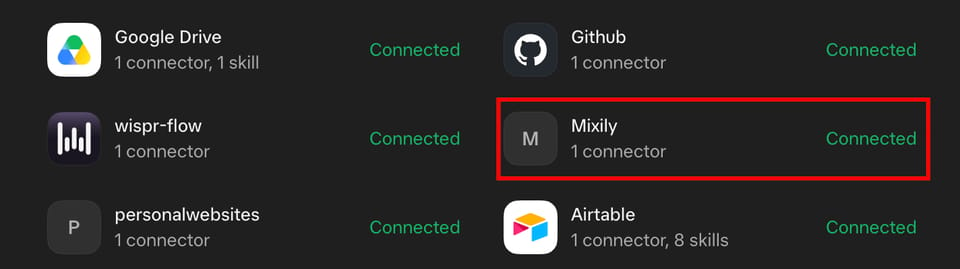
To check it worked, open Connect Apps, then Manage. Mixily should be listed under Installed as Connected.
Your Grok Bot runs in the cloud, so it reaches mcp.mixily.com directly. Nothing to install on your computer.
Step 2: Ask for Your Event
Write it the way you’d text a friend:
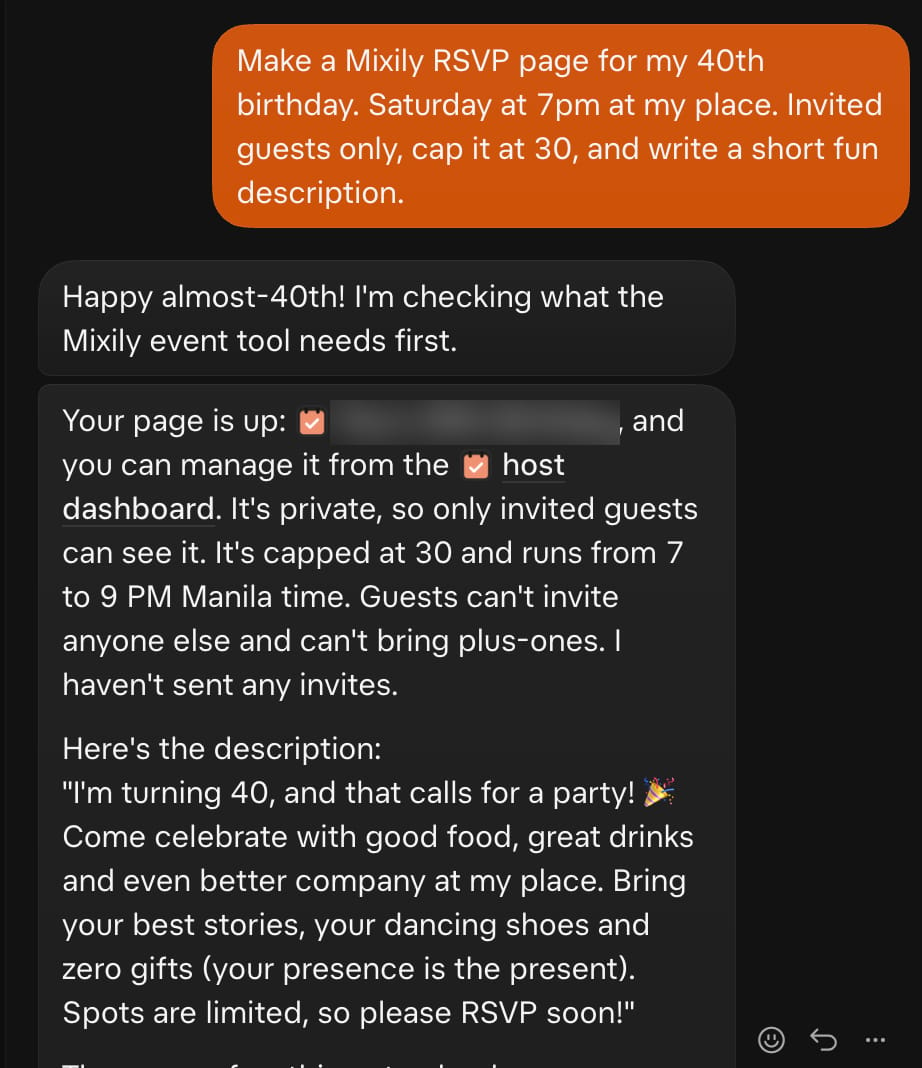
Make a Mixily RSVP page for my 40th birthday. Saturday at 7pm at my place. Invited guests only, cap it at 30, and write a short fun description.
Your bot checks your Mixily account first (your time zone, your existing events), creates the page and replies with the link. In our test it read back every setting: private, capped at 30, 7 to 9 PM Manila time, no plus-ones, and no invites sent yet.
Step 3: Keep Going in the Same Chat
You don’t need to open Mixily to make changes. Try:
Use this photo as the cover: [paste an image link]
Move it to 8pm and add that parking is on the street.
How many people have RSVP’d yes so far?
Step 4: Invite Your Guests
On a paid Mixily plan, your bot can find your usual guests or reuse a past guest list:
Invite the same people as my last dinner party.
Your bot doesn’t send anything itself. Mixily emails you a preview of the invite list, and the invites go out only when you click Approve. On the free plan, the bot can still build and edit the page, and you send the link yourself.
Prompts to Try
Set up a baby shower brunch for my sister on the 15th at 11am at Rosa’s Cafe. Private, 25 guests, no plus-ones.
Make a page for our Friendsgiving potluck next Thursday at 6. Let guests see who else is coming.
Create a client appreciation night on December 4 at 6pm. Close RSVPs on December 1.
Plan a game night every first Friday. Start with the one next month at 7pm.
What Your Bot Can and Can’t Do Here
- Can: create and edit events, set covers, read back RSVP counts, and draft invites you approve.
- Can’t: send invites without your click, sell tickets, or see anyone else’s events.
You can disconnect your bot anytime in Mixily under Settings, then Agents.
Common Questions
Can my bot make an RSVP page for me?
Yes. Add Mixily to your Grok Bot as a custom MCP server, sign in, and ask for your event in plain words. The bot builds the page and gives you the link.
Is it free?
Creating and editing events through your bot is free on Mixily. Drafting invites needs a paid Mixily plan, starting at $19 a month.
Does it work in other assistants too?
Yes. The same connector works in Claude, ChatGPT and Claude Code. More on what the Mixily MCP is.
Try It
Create a free Mixily account, add it to your Grok Bot, and ask for your next event. See the AI event planner.